Why Is Your WordPress Site Slow and What Does Fixing It Cost?
Discover why your WordPress site slow issue is hurting your revenue, what causes the lag, and the exact cost to fix it.
Murad Raza
Freelance Full-Stack Developer
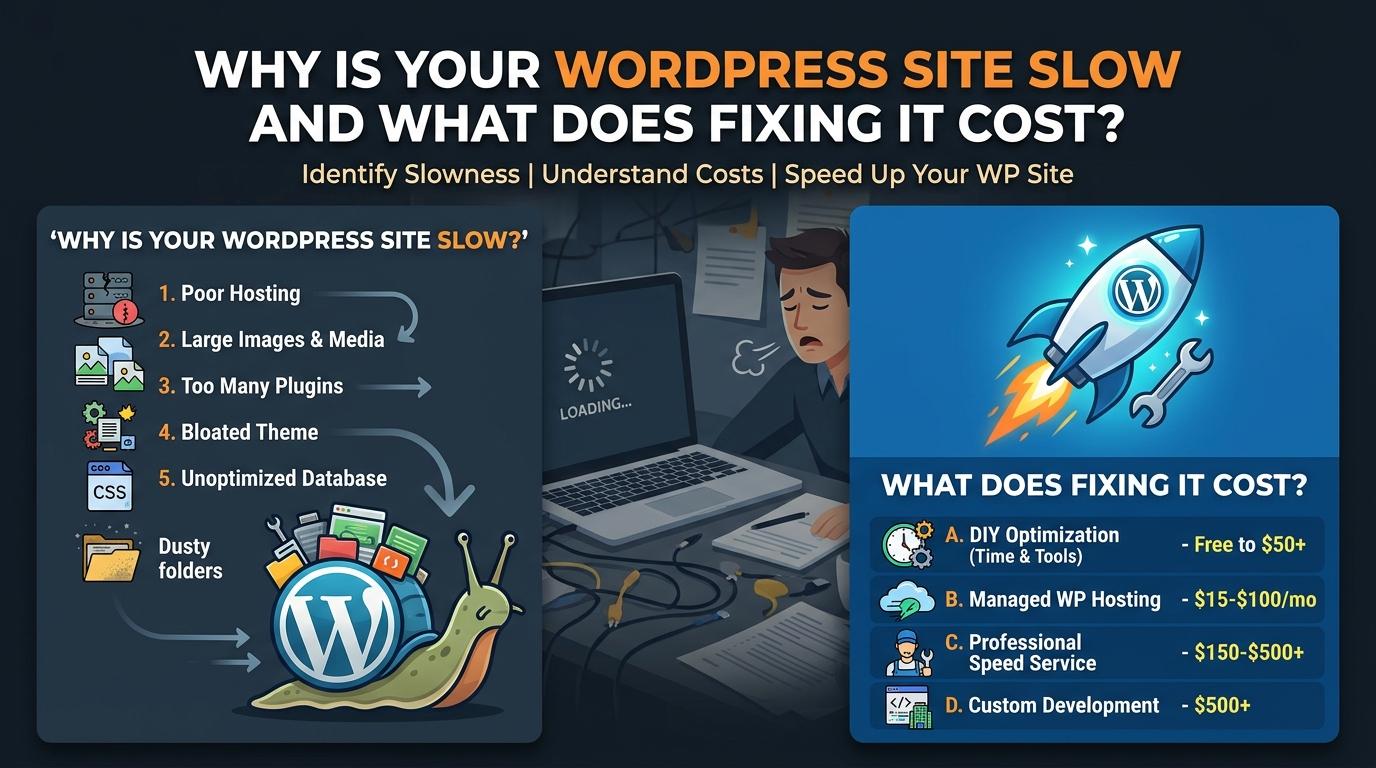
Every time a potential customer finds your business online, they expect your pages to open instantly. When a wordpress site slow problem rears its head, visitors simply close the tab and buy from your competitor instead. I see this happen all the time with founders who invested heavily in design, but forgot about what happens under the hood. A sluggish website kills your conversion rates and pushes you down on Google. Let us look at why your site is crawling and what it actually costs to fix each bottleneck.
Shared Hosting and Cheap Servers
Many business owners start on a cheap shared hosting plan that costs a few dollars a month. On these plans, your site shares server resources with hundreds of other websites. If another site gets a traffic spike, your server slows down for everyone. Shared hosting also tends to use outdated hardware and slow spinning hard drives instead of solid state drives.
Moving to a reliable cloud host or a managed WordPress host makes a massive difference immediately. A managed host handles caching, security, and updates at the server level. Fixing this issue usually requires a migration. Depending on the size of your database and your current host, hiring a developer to move you safely costs between one hundred fifty and four hundred dollars. Good managed hosting itself runs twenty to fifty dollars per month.
Bloated Page Builders and Heavy Themes
Theme shops love to build WordPress themes with every possible animation and feature included out of the box. Page builders can be great for rapid prototyping, but they often load massive CSS and JavaScript files on every single page view. Your browser has to download and parse all that junk before the user sees anything.
Cleaning up a bloated theme means either stripping out unnecessary features, disabling unused scripts, or rebuilding the frontend using a lightweight setup. If you need a complete redesign to move away from a heavy page builder, expect to invest anywhere from one thousand to three thousand dollars depending on your page count. The long term savings on server load and user retention easily justify the upfront cost.
Too Many Plugins
It is easy to install a new plugin every time you need a new feature, but plugin bloat is a silent killer for performance. Every plugin adds its own database queries, stylesheets, and scripts to your header and footer. Some poorly coded plugins even make external API calls on every page load, stalling your server while it waits for a response.
Auditing your plugins requires going through your entire list and testing what breaks when you turn things off. You can often replace five different single purpose plugins with a few lines of clean custom code in your functions file. A developer can audit and clean up your plugin stack in two to four hours, which usually costs between one hundred and three hundred dollars.
Unoptimized Images and Media
Founders love uploading high resolution photos straight from their cameras or stock sites directly to the media library. A single unoptimized image can weigh five megabytes, which takes seconds to download on a mobile connection. Multiply that by ten images on a homepage, and your site is dead on arrival.
Fixing images involves compressing existing files and setting up automated conversion to modern formats like WebP upon upload. You also need to implement lazy loading so images below the fold only load when the user scrolls down to them. A developer can configure automated image compression and lazy loading across your site in about one or two hours, costing around seventy five to one hundred fifty dollars.
Summary of Fixes and Real Costs
Fixing a slow website is rarely about one single magic trick. It requires a systematic approach to hosting, code, and assets. If you want to stop losing leads to a slow loading page, budget for a proper infrastructure review. Most small business owners spend between five hundred and fifteen hundred dollars total to solve their speed issues permanently.
Frequently asked questions
01Why is my WordPress site slow even after I deleted unused plugins?
02How do I know if my hosting is causing the slowdown?
03Are page builders always bad for WordPress speed?
04Can I fix a slow WordPress site myself?
05What is a good loading time for a business website?
06Does moving to a better host require downtime?
07How much does professional speed optimization cost?
08Do I need a content delivery network for a local business?
09How often should I audit my WordPress site speed?
10Will fixing my site speed improve my Google rankings?
Need this fixed on your site?
I Build Websites That Work as Hard as You Do